
How do I cancel my mission membership?
To cancel your Mission Membership, log in to your account, and access your account and membership settings.
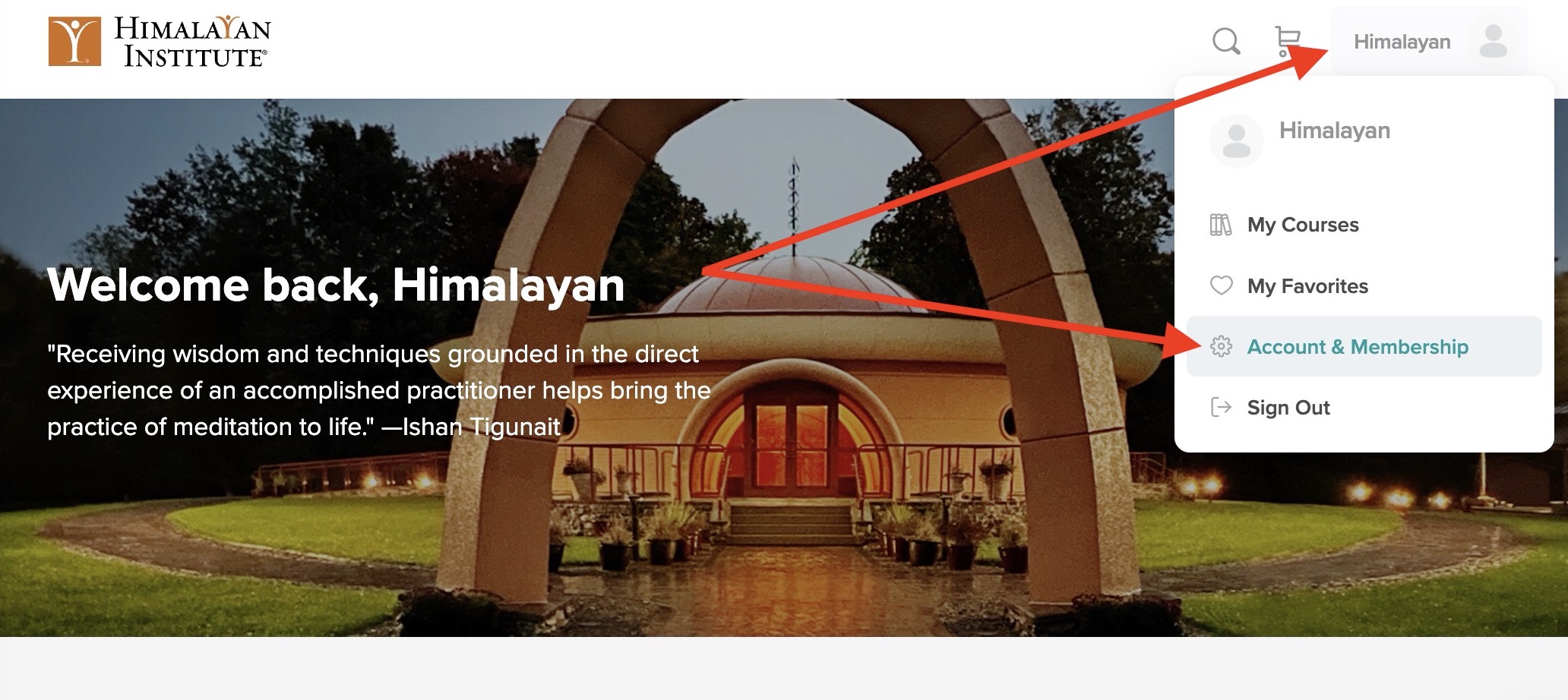
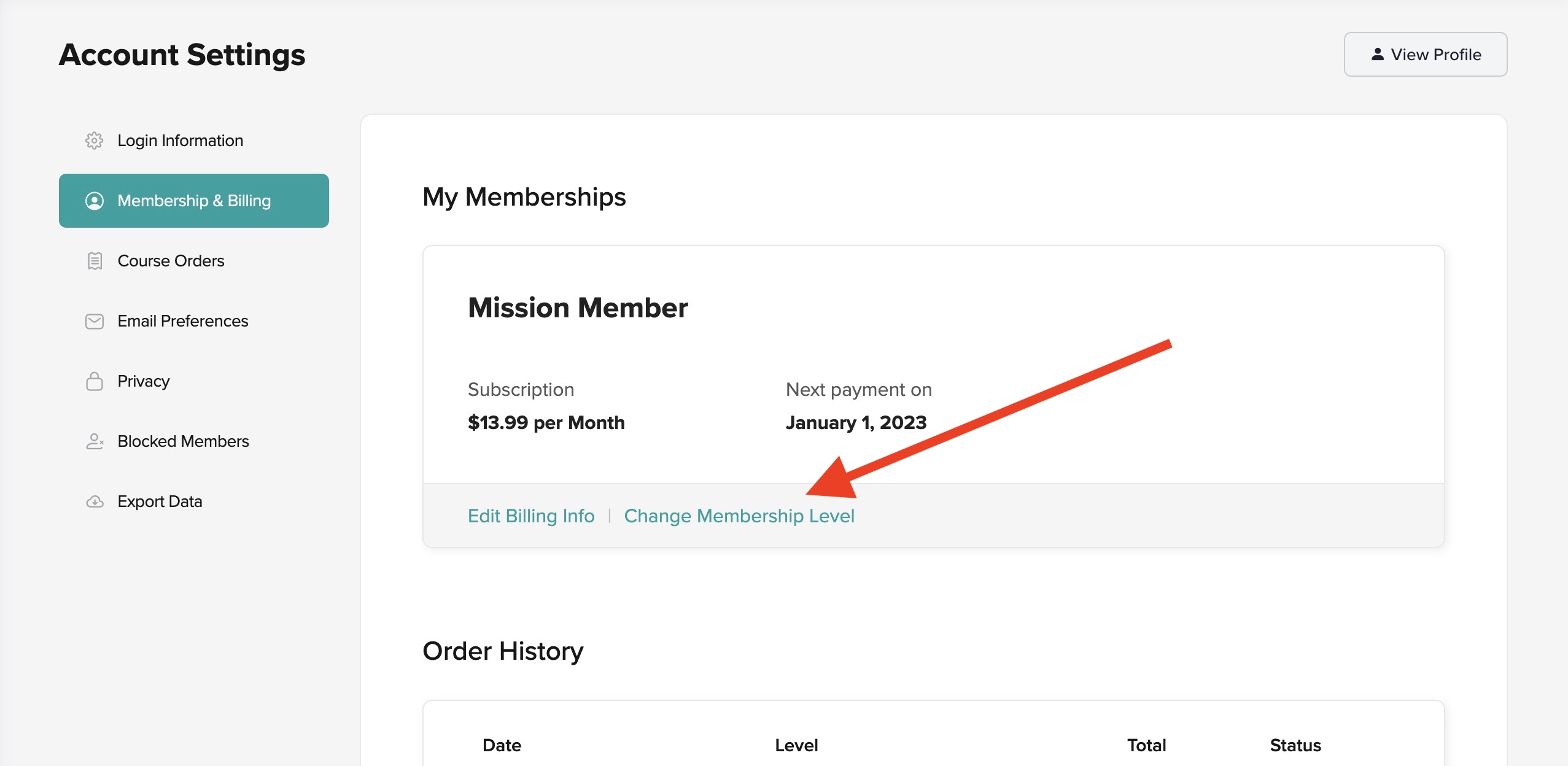
Select the Membership & Billing tab, and then select Change Membership Level.
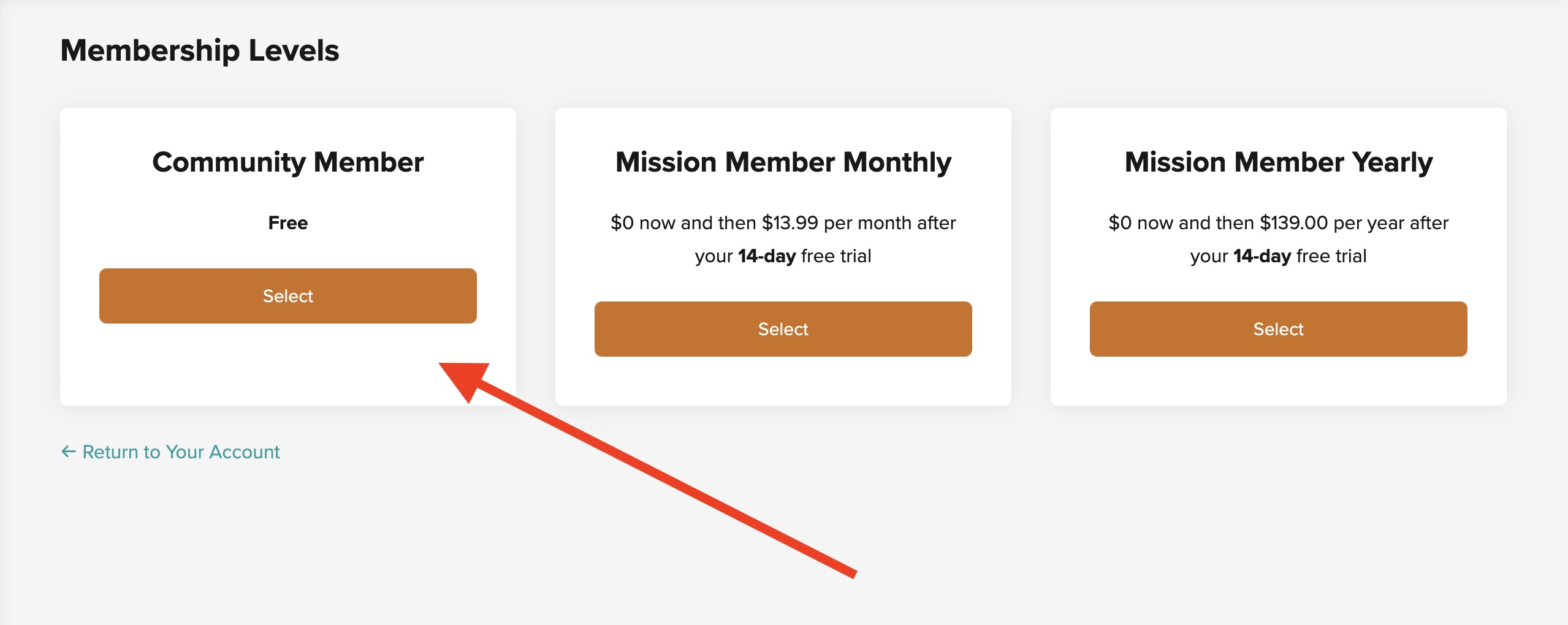
Then, select the Community Membership tier.
After you cancel your Mission Membership, all future billing dates will stop, and you will not be billed beyond the current billing period. Your access to all Mission Membership perks, including full and unlimited access to the HI Online Library – including all Premium posts – will remain until your scheduled billing period ends. Afterward, you will still have access to specific HI Online resources through your free Community Member account.